

MINEO
MINEO 2026.05: Image Generation, MCP Templates & Permissions Everywhere
Diego Garcia
What's new in Threads: sandboxed Python execution, MCP integration, file I/O, self-healing retries, inline widgets and LaTeX — plus workspace defaults and AI quota events.

In MINEO 2026.03, we introduced Threads: persistent conversations with specialized assistants. With 2026.04, we take the next step — assistants move beyond chat and start doing real work. They now execute code, connect to external systems, operate on project files, and recover automatically from failures.
Most of this release lives inside Threads.
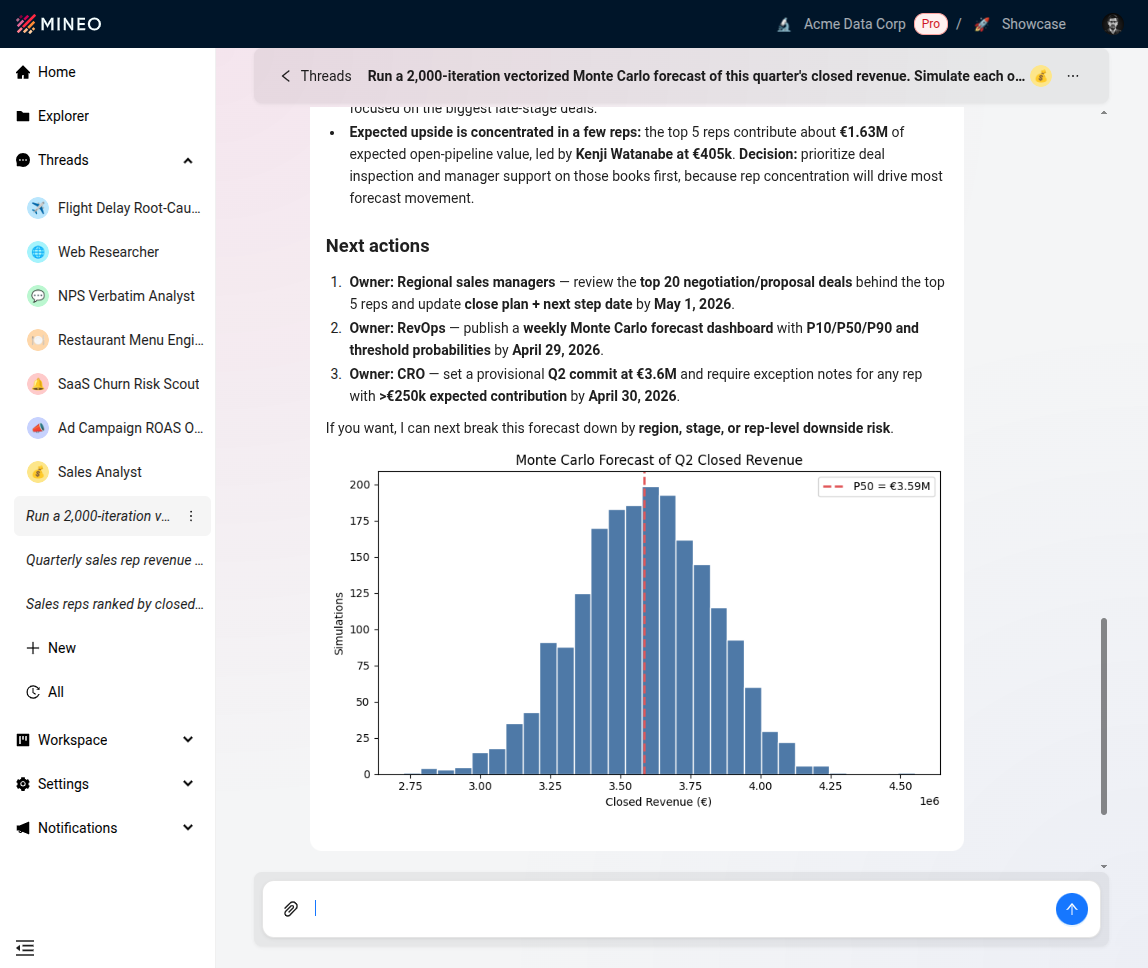
Every Thread now includes an isolated Python interpreter. The assistant writes code, runs it in a fully sandboxed environment, and uses the output — result or stack trace — to continue the conversation. Errors feed back into the model instead of stopping the flow, and for ad-hoc analyses you no longer need to drop into a notebook.
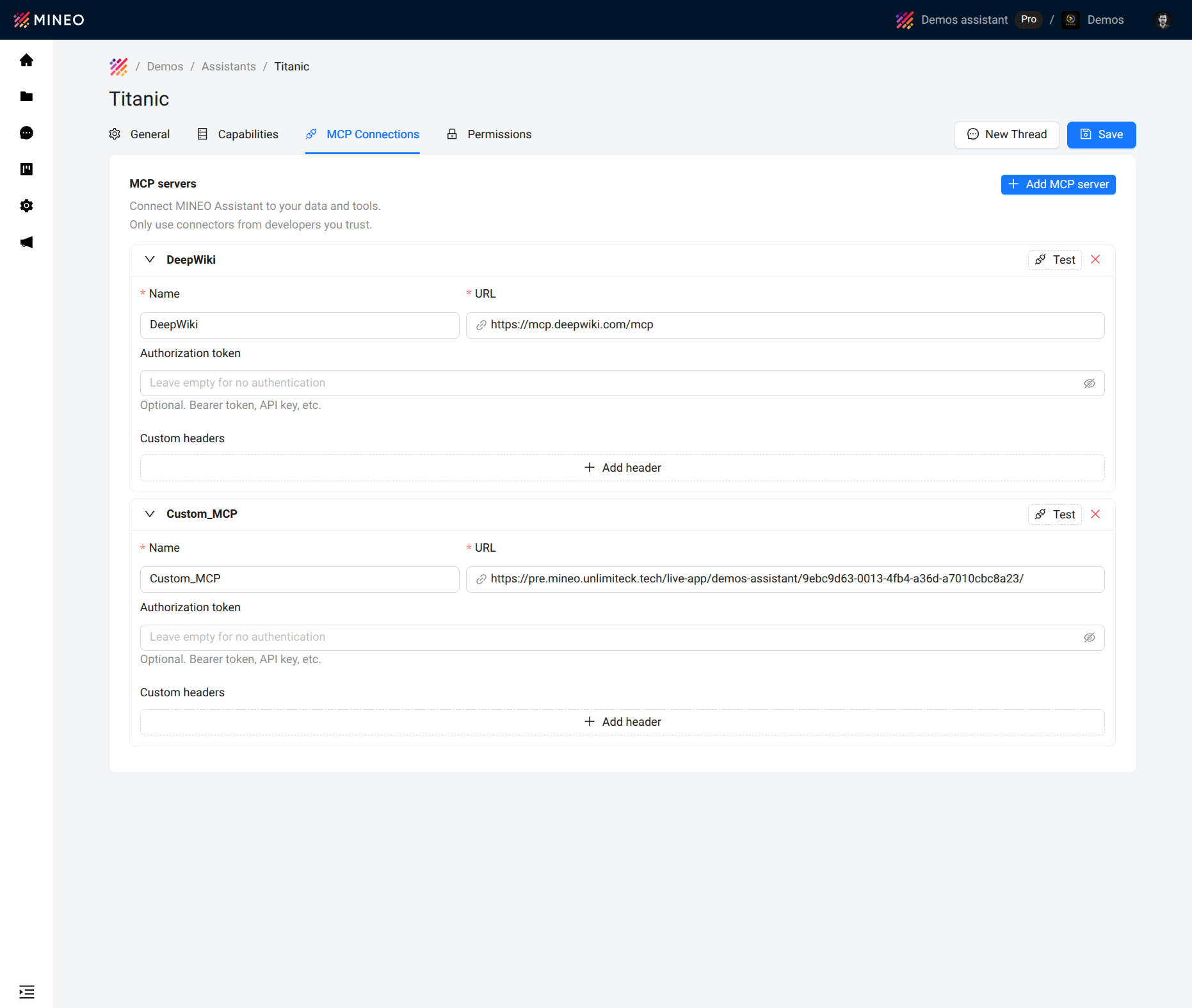
Threads now speak MCP, the open standard — originally proposed by Anthropic — for connecting AI assistants to external tools and data. Point a Thread at an MCP server over streamable HTTP, public or private, and its tools become callable by the assistant: no native integration required.
In practice that covers GitHub, Slack, Jira, Google Drive and the rest of the MCP server ecosystem — as well as your own internal endpoints on private networks.
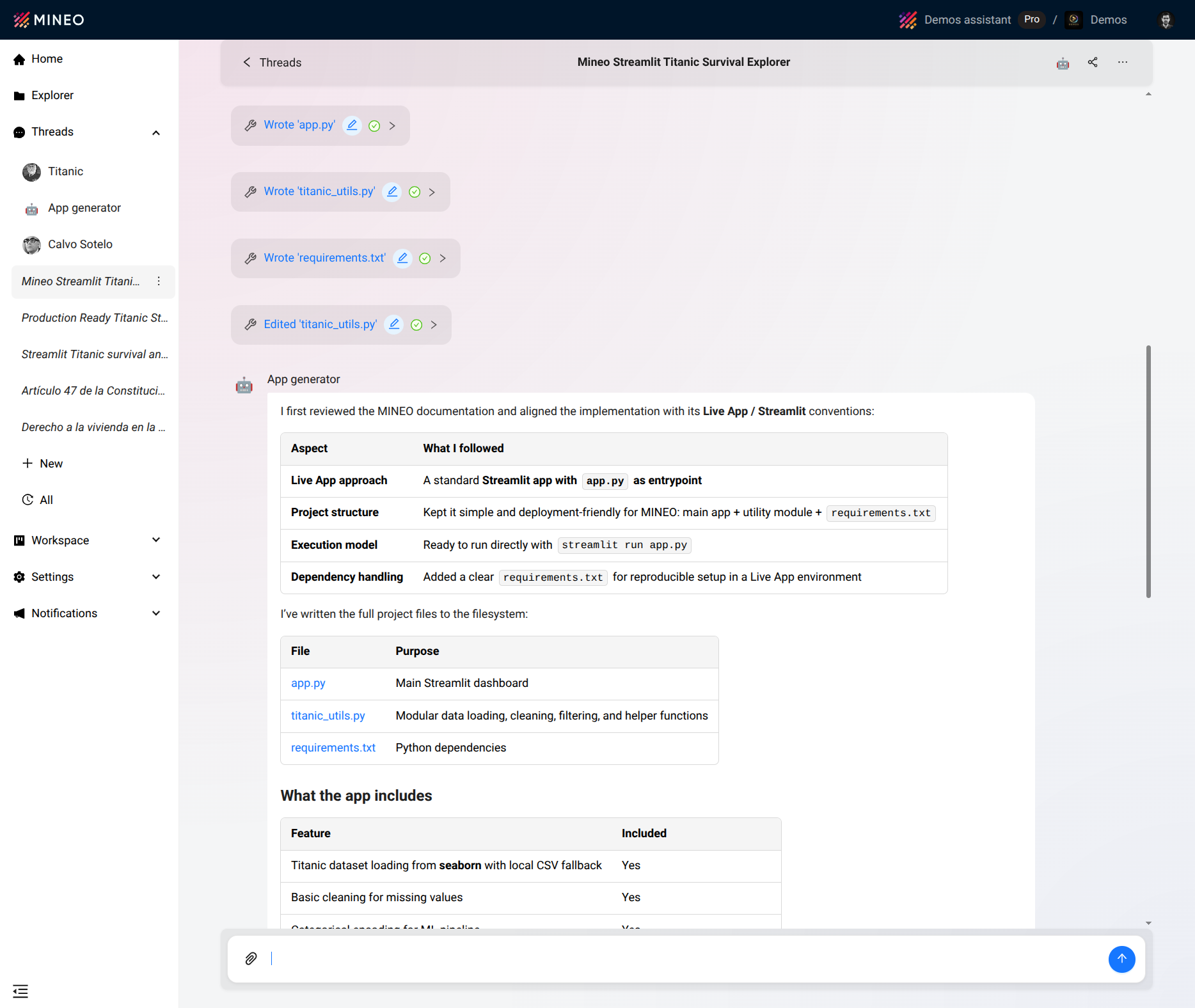
Assistants now operate directly on your data. They read attachments dropped into the chat (CSV, PDF, images and more), create and edit scripts, notebooks and datasets, and access the project filesystem in real time. No stale data, no context switching.
Self-healing tool calls. Every call ships with a built-in retry loop — when one fails, the error goes back to the model, the assistant retries with that context, and the user gets a working result instead of a stack trace. Recoveries tend to cluster around SQL (wrong columns, missing joins), Python (imports, paths, types) and file ops (permissions, filenames).
Documentation RAG. The assistant answers from the official MINEO documentation — pipelines, widgets, notebooks, dev environments — kept in sync on every release, and with source references in each answer so you can jump straight to the full doc.
Inline widgets and LaTeX. Threads render native UI inside the chat: interactive tables with sorting, filtering and pagination; the full chart library (bar, line, scatter, heatmap and friends) inline; widgets mixed freely with markdown in the same message. LaTeX is fully supported for formulas and technical notation.
Chat UI polish. True markdown streaming with no reflow at the end, a reworked thread sidebar with search and organization, quick actions to copy/regenerate/edit messages, and a tool call panel that traces what the assistant did in each turn.
Workspace admins can now mark one or more assistants as defaults for the organization, so new users land in a curated list instead of an empty one. AI usage also moves from display-only to integrated: consumption events now feed audit, billing and usage limits at the org level, on top of the per-thread cost view introduced in 2026.03.
Table widget sort arrows now inherit the column header’s text color, fixing a long-standing mismatch in custom-themed tables.
Threads are no longer just chat. They’re agents. 2026.04 introduces the core capabilities needed for real-world workflows — code execution, system integration through MCP, file operations, self-healing retries and native data visualization — all with built-in organizational control.
📚 Full documentation: https://b.mineo.app/documentation/

