

MINEO
MINEO 2026.05: Image Generation, MCP Templates & Permissions Everywhere
Diego Garcia
Build conversational workflows with Threads and specialized AI assistants, spin up full VS Code Dev Environments inside MINEO, land on a redesigned project Home, and navigate faster with the reorganized sidebar.

MINEO 2026.03 is one of the most visible releases of the year. We rebuilt the way you navigate a project, shipped a brand-new Home screen, took Dev Environments to the next level, and made a big leap in the conversational experience with Threads and specialized AI assistants.
A thread is a persistent conversation with an AI assistant inside MINEO. Threads make it easy to keep working with AI without losing context between sessions.
Every thread now reports its AI usage so teams can keep costs under control:
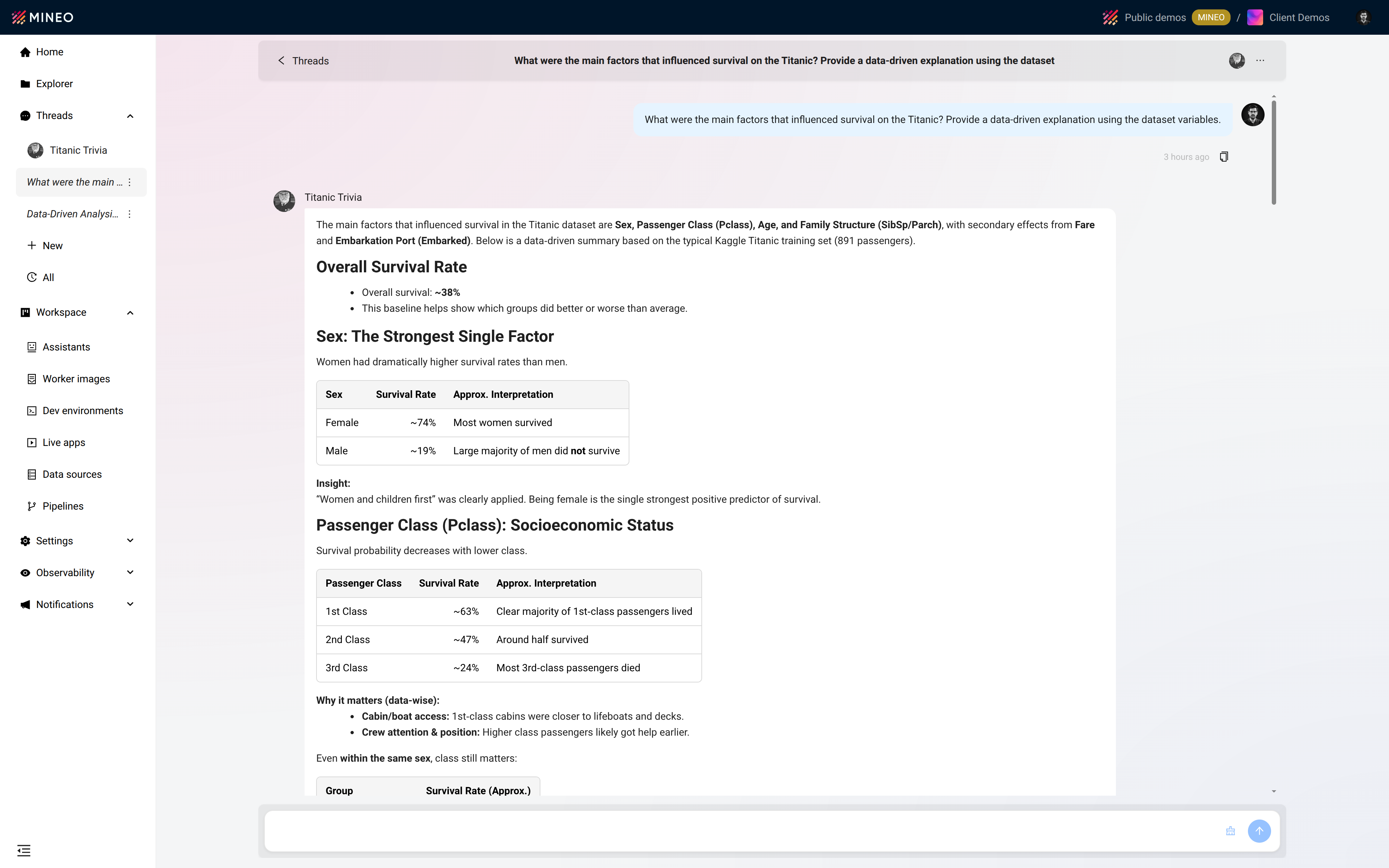
Threads turn one-off AI prompts into long-running, auditable workflows that fit naturally into the way data teams already work.
Dev Environments bring a complete VS Code workspace right inside MINEO, so you can edit, debug and ship code without ever leaving the platform.
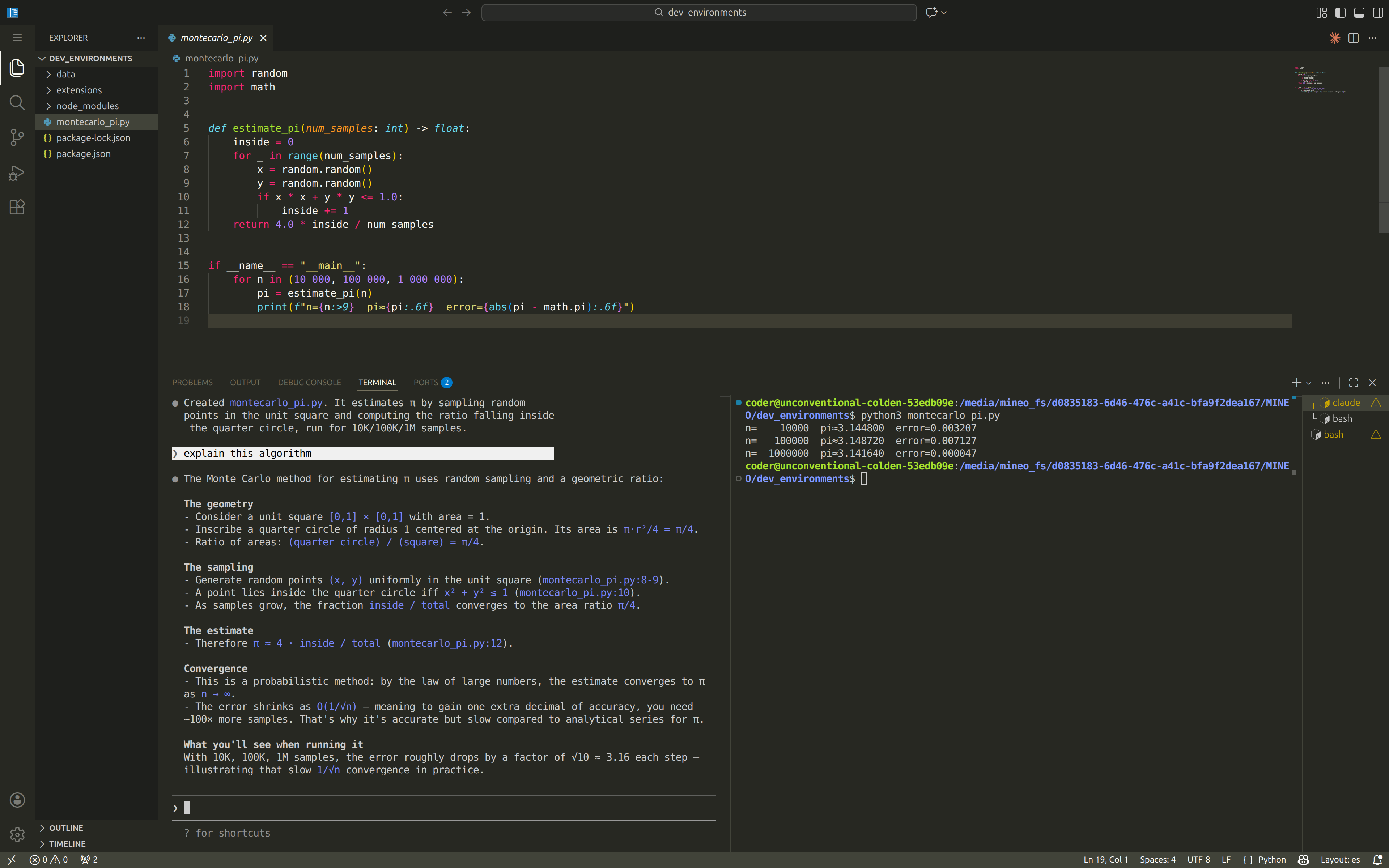
Dev Environments close the gap between notebook-first prototyping and full-code development, all inside the same project.
Learn more: https://b.mineo.app/documentation/
The project Home is the new default landing view, replacing the file explorer as the entry point of every project.
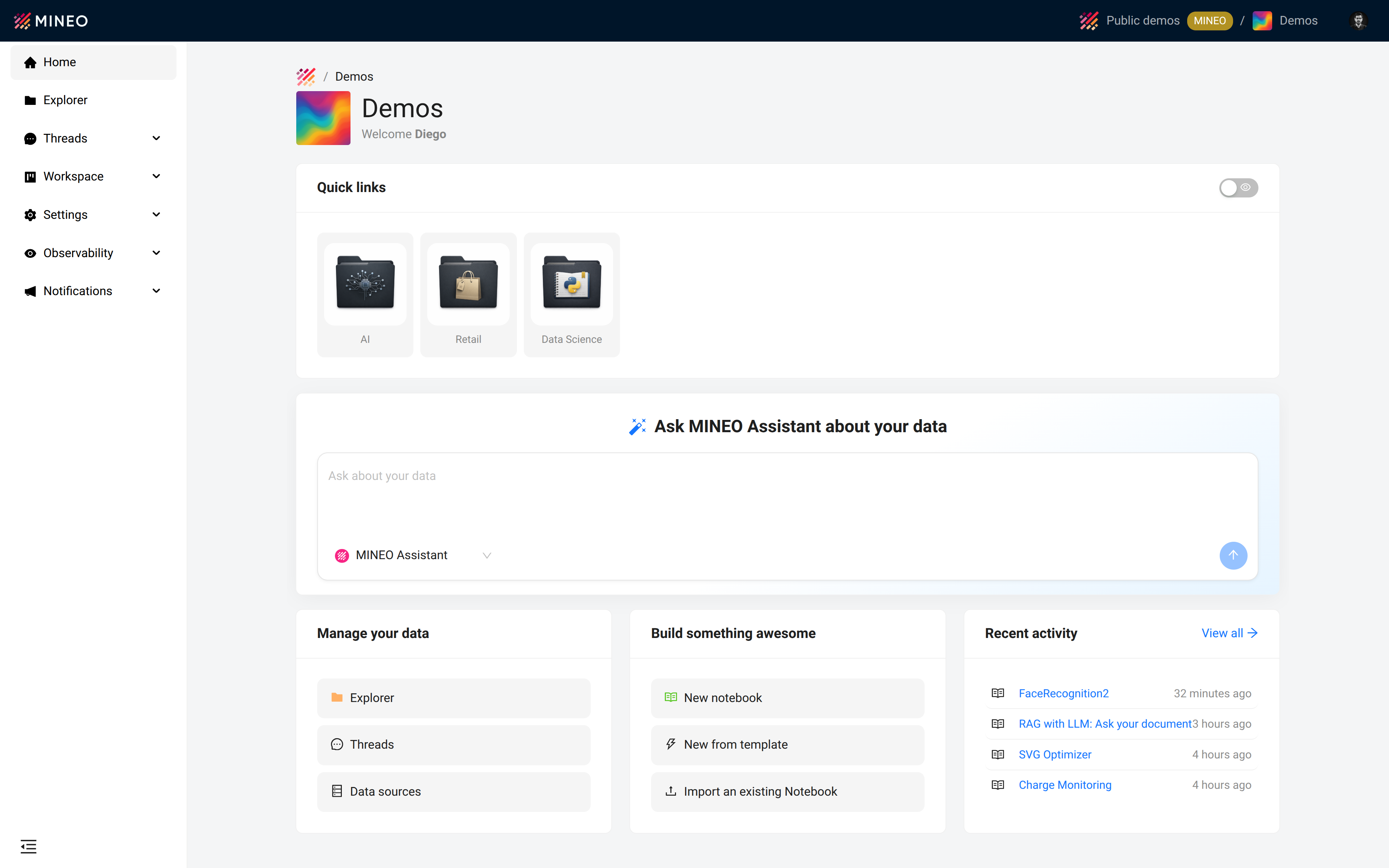
The new Home turns the project into a workspace dashboard instead of a folder tree, putting people, conversations and shortcuts front and center.
The left sidebar has been fully reorganized to reflect how MINEO is actually used today.
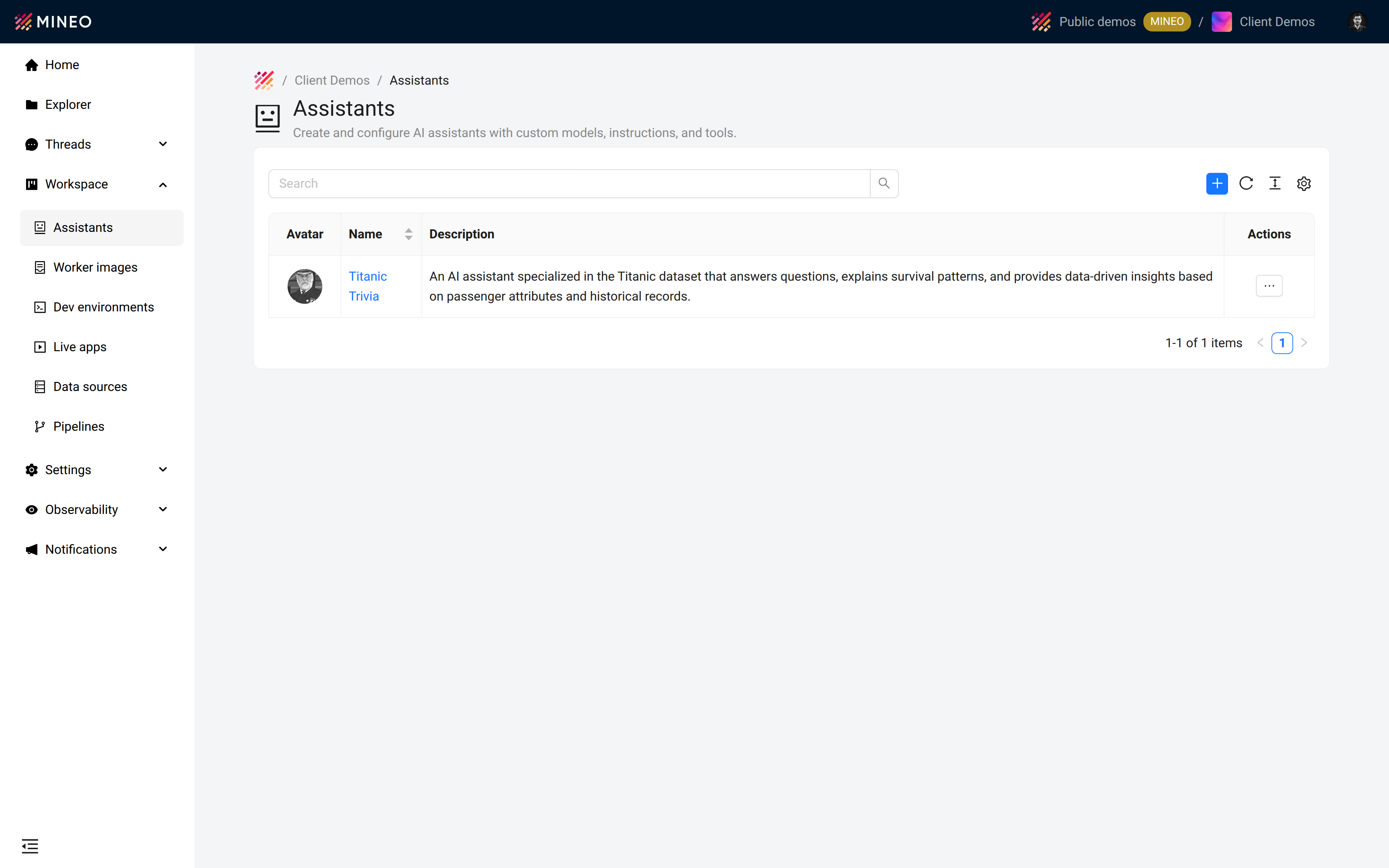
Combined with the new Home, the redesigned sidebar makes it dramatically faster to move between conversations, code, data and team management.
MINEO 2026.03 reorganizes the project experience around two pillars: AI conversations — through Threads and specialized assistants with built-in usage tracking — and full-code development — through Dev Environments running a complete VS Code stack inside MINEO. The new Home and the redesigned sidebar tie everything together with a navigation model that finally matches the way modern data teams work.
For comprehensive documentation on these features, visit: https://b.mineo.app/documentation/

